
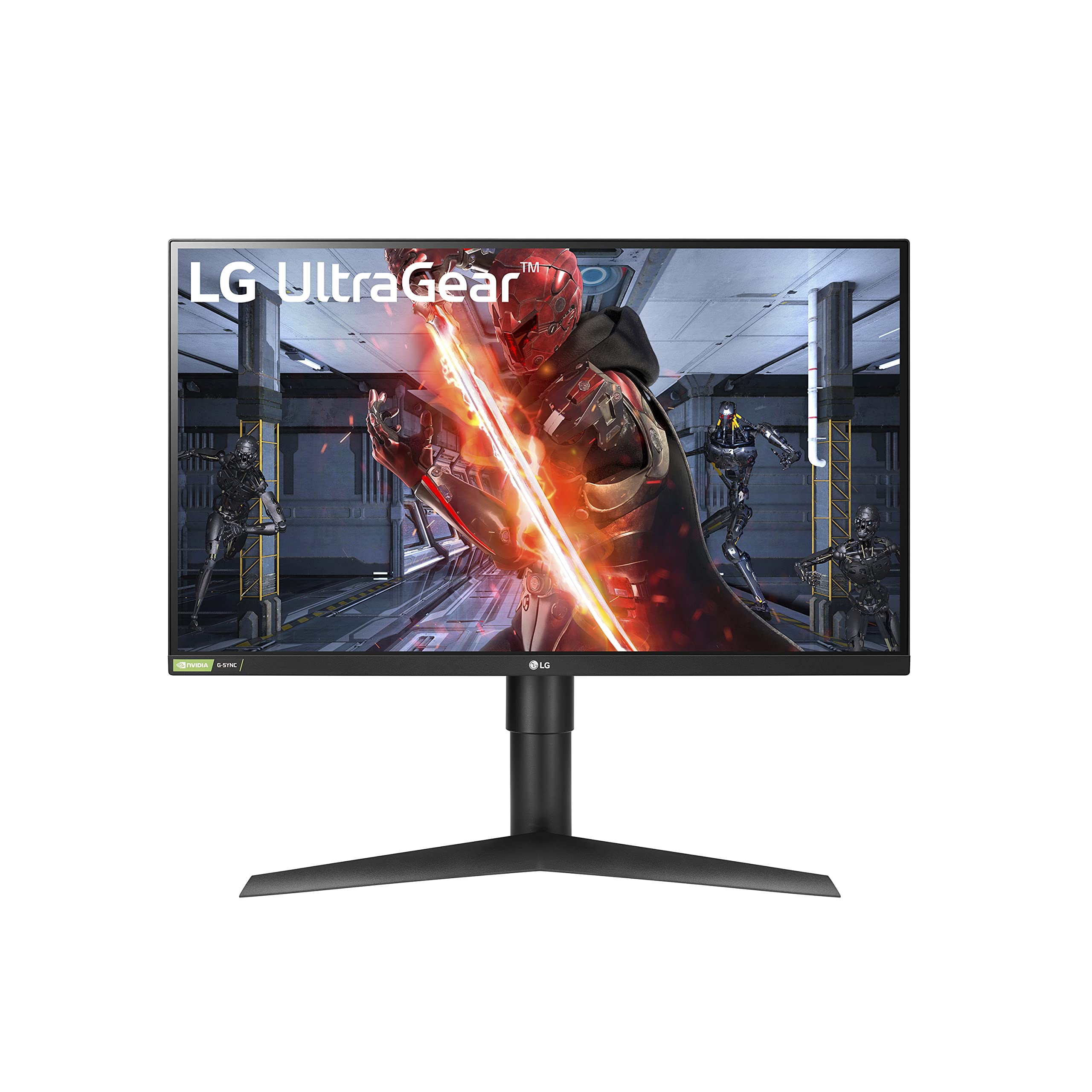
Today, I’ll be sharing my thoughts on the LG UltraGear QHD 27-Inch Gaming Monitor 27GL83A-B. As a gaming enthusiast, I was thrilled to try out this feature-packed display designed for an immersive gaming experience. Let’s dive into the pros and cons of this monitor.

Pros and Cons
What We Liked
- The QHD resolution of 2560×1440 pixels provides stunning visual clarity and detail, making games and multimedia content come to life with vibrant imagery. The size of 27 inches strikes a good balance between screen real estate and pixel density.
- The IPS panel technology ensures accurate and vibrant color reproduction, along with wide viewing angles. This makes the monitor visually appealing and suitable for multi-person viewing.
- The 1ms (GtG) response time minimizes motion blur and ghosting, resulting in smoother gameplay and enhanced responsiveness. Whether you’re engaged in intense FPS battles or racing games, this monitor keeps up with the action without sacrificing visual quality.
- The HDR 10 compatibility enhances contrast and color accuracy, providing a more realistic and captivating viewing experience. Dark scenes are deeper, and bright scenes are more vibrant, allowing for better visibility and detail in both gameplay and multimedia content.
- The combination of NVIDIA G-SYNC and AMD FreeSync technologies, along with the 144Hz refresh rate, virtually eliminates screen tearing and provides a fast and fluid gaming experience. This synchronization ensures that the monitor’s refresh rate matches the GPU’s output, resulting in seamless visuals.
What Can Be Improved
- The power adapter for this monitor is massive and may be challenging to fit into a small power strip. Additionally, the short length of the power cord may not be convenient for all setups.
- Some users may prefer a curved monitor, as the flat design of this monitor may take some getting used to if you’re accustomed to a curved display.
Quick Verdict
The LG UltraGear QHD 27-Inch Gaming Monitor 27GL83A-B offers a fantastic gaming experience with its QHD resolution, IPS panel, fast response time, HDR 10 compatibility, and impressive refresh rate with adaptive sync technologies. It delivers vibrant visuals, smooth gameplay, and reduces motion blur, providing a competitive edge for gamers. Although the power adapter and lack of curvature may be minor drawbacks, the overall performance and features of this monitor make it a solid choice for any gaming setup. Check it out on Amazon for more details.
Unboxing – What’s Inside?
I recently purchased the LG UltraGear QHD 27-Inch Gaming Monitor 27GL83A-B from Amazon. Living in the USA, I placed the order and eagerly awaited its arrival. I was pleasantly surprised by the fast delivery, which took only a couple of days.
When I opened the box, I found the following items:
- LG UltraGear QHD 27-Inch Gaming Monitor 27GL83A-B
- Wall Mount (Size: 100 x 100 mm)
- DisplayPort and HDMI Cables
Specifications
Here are the specifications of the LG UltraGear QHD 27-Inch Gaming Monitor 27GL83A-B:
- Refresh Rate: 144 Hz
- Special Feature: Adjustable
- Brand: LG
- Display Resolution Maximum: 2560 x 1440 Pixels
- Screen Size: 27 Inches
- Manufacturer: LG
- Voltage: 110-240 Volts
- Color: Black
- Item Dimensions (LxWxH): 8.2 x 29.2 x 20.6 inches
- Item Weight: 19.81 pounds
- Item model number: 27GL83A-B
- Series: LG 27GL83A-B 27 Inch Ultragear QHD IPS 1ms NVIDIA G-SYNC Compatible Gaming
Documentation/ User Guide
The documentation that came with the LG UltraGear QHD 27-Inch Gaming Monitor 27GL83A-B proved to be extremely helpful. It provided clear instructions on how to set up the monitor and make the necessary adjustments. Additionally, it explained the various features and settings in detail, allowing me to optimize my gaming experience.
If you would like to access the user guide, you can find it here.
Features – What We Found
Gaming-optimized 1-ms Response Time
The LG UltraGear QHD 27-Inch Gaming Monitor 27GL83A-B features an impressive 1-millisecond (GtG) response time, specifically designed for gaming. This ultra-fast response time ensures that visuals are rendered with minimal motion blur, allowing for smooth and crisp gameplay. Whether you’re engaging in fast-paced action or playing competitive games, this monitor keeps you at the top of your game by providing a highly responsive display.
Pro-tip: To fully utilize the 1-ms response time, make sure to enable the Motion Blur Reduction feature in the monitor settings. This feature further reduces motion blur, enhancing the clarity and smoothness of your gaming experience.
High Color Accuracy and Wide Viewing Angles
Equipped with IPS (In-Plane Switching) technology, the LG UltraGear Gaming Monitor offers exceptional color accuracy with an sRGB coverage of 99%. This means that the monitor can reproduce colors with a high level of fidelity, resulting in vibrant and lifelike visuals. Additionally, the wide viewing angles of up to 178° horizontally and vertically ensure that colors remain consistent and vivid, even when viewed from extreme angles.
For an enhanced viewing experience, adjust the color settings according to your preference and the specific requirements of the game you’re playing. This monitor’s wide color gamut will bring your favorite games to life with stunning vibrancy.
For more information, check out the product here.
G-SYNC and FreeSync for Tear-Free Gaming
The LG UltraGear Gaming Monitor is equipped with both NVIDIA G-SYNC and AMD FreeSync Premium technologies. These adaptive sync technologies work in conjunction with compatible video cards to eliminate screen tearing and minimize stuttering during high-resolution and fast-paced gaming. The result is a smooth and fluid gaming experience without any visual disruptions.
Regardless of whether you have an NVIDIA or AMD graphics card, you can enjoy tear-free gaming with this monitor. Simply enable the corresponding sync technology in the monitor settings and experience seamless gameplay with reduced input lag.
Dynamic Action Sync and Black Stabilizer
Dynamic Action Sync is a feature designed to reduce input lag and enable quick response times. It ensures that you can react swiftly to on-screen action, giving you a competitive edge in fast-paced games. With Dynamic Action Sync enabled, your actions translate almost instantly on the screen, allowing for a more immersive and responsive gaming experience.
Additionally, the Black Stabilizer feature dynamically brightens dark scenes, making it easier to spot enemies and objects in darker environments. By enhancing visibility in shadowy areas, this feature helps you stay one step ahead and improves your overall accuracy in firefights.
Pro-tip: Adjust the Black Stabilizer setting according to your preference and the lighting conditions of your gaming environment. Fine-tuning this feature can help you optimize visibility without sacrificing the overall image quality.
Native 144Hz Refresh Rate with Motion Blur Reduction
The LG UltraGear Gaming Monitor boasts a high native refresh rate of 144Hz, allowing for smooth and fluid motion in games. Combined with the 1-millisecond Motion Blur Reduction feature, this monitor renders screen objects with exceptional clarity, reducing motion blur and ghosting. It ensures every movement and action on-screen is displayed with sharpness and precision, enhancing your overall gaming experience.
To fully utilize the benefits of the high refresh rate and Motion Blur Reduction, ensure that your game’s graphics settings are adjusted accordingly to achieve high frame rates. The higher the frame rate, the smoother and more responsive the gameplay will be.
Our Review and More
Our Score: 93.0
I recently purchased the LG UltraGear QHD 27-Inch Gaming Monitor 27GL83A-B and I couldn’t be happier with my decision. The monitor’s features and performance have exceeded my expectations, making it an excellent choice for gamers. The QHD resolution provides stunning visual clarity and detail, bringing games and multimedia content to life. The IPS panel technology ensures vibrant and accurate color reproduction, along with wide viewing angles, creating an immersive gaming experience.
One of the standout features of this monitor is its fast 1ms (GtG) response time, minimizing motion blur and ghosting during fast-paced gaming sequences. This translates to smoother gameplay and enhanced responsiveness, which is crucial for competitive gamers. Additionally, the HDR 10 compatibility adds depth and realism to the visuals, making dark scenes more immersive and bright scenes more vibrant.
Another highlight of this monitor is its high native 144Hz refresh rate. Combined with NVIDIA G-SYNC and AMD FreeSync technologies, screen tearing and stuttering are virtually eliminated, ensuring a seamless and tear-free gaming experience. The monitor’s design is sleek and minimalist, with thin bezels and adjustable stand, enhancing both aesthetics and ergonomics.
If you’re in search of a gaming monitor that offers excellent visual fidelity, responsiveness, and immersion, I highly recommend the LG UltraGear QHD 27-Inch Gaming Monitor 27GL83A-B. It has exceeded my expectations in every aspect and has significantly enhanced my gaming experience.
For more details or to purchase the LG UltraGear QHD 27-Inch Gaming Monitor 27GL83A-B, you can visit the product page here.
Best combination

I highly recommend considering the IVANKY VESA Certified DisplayPort Cable as an alternate product to accompany your LG UltraGear QHD 27-Inch Gaming Monitor 27GL83A-B. This display cable offers exceptional performance and compatibility, making it an ideal choice for avid gamers, graphic designers, and professionals who demand high-quality visuals.
With its DisplayPort 1.2 technology, the IVANKY cable supports various resolution options, including 4K at 60Hz, 2K at 165Hz, and 2K at 144Hz. This means you can enjoy incredibly smooth gameplay, fluid graphics, and stunning image clarity. Whether you’re playing intense first-person shooters or editing high-resolution videos, this cable ensures you never miss a detail.
The cable’s gold-plated connectors and durable braided design provide both style and functionality. The gold-plating ensures reliable signal transmission and prevents data loss, while the braided cable protects against external interference and extends the cable’s lifespan. You won’t have to worry about signal degradation or frequent cable replacements with this high-quality option.
Not only is the IVANKY cable compatible with the LG UltraGear monitor, but it also works seamlessly with other gaming monitors, graphics cards, TVs, PCs, and laptops. Its wide compatibility makes it a versatile choice, allowing you to use it across various devices without any hassle.
In summary, the IVANKY VESA Certified DisplayPort Cable complements the LG UltraGear QHD 27-Inch Gaming Monitor 27GL83A-B perfectly. Its impressive performance, compatibility, and durability make it an excellent investment for enhanced gaming experiences and professional visual work. Don’t miss out on the opportunity to maximize the potential of your monitor with this alternate product!
Other Options To Go For
When it comes to gaming monitors, the LG UltraGear QHD 27-Inch Gaming Monitor 27GL83A-B is definitely a top contender. However, if you’re looking for some other options that offer similar features and performance, here are a few alternatives that you should consider:
- LG UltraGear QHD 27-Inch Gaming Monitor 27GL850-B: This monitor shares many similarities with the main product, including a QHD resolution, 144Hz refresh rate, and HDR 10 compatibility. It also features a Nano IPS panel for stunning color accuracy. The addition of NVIDIA G-SYNC ensures smooth gameplay, making it a great choice for competitive gamers. You can find more information about this monitor here.
- GIGABYTE M27Q 27 170Hz 1440P -KVM Gaming Monitor: If you’re looking for a monitor with a higher refresh rate, this option from GIGABYTE is worth considering. With a refresh rate of 170Hz and a 0.5ms response time, it offers an incredibly smooth and responsive gaming experience. The monitor also boasts a 92% DCI-P3 color gamut, making it ideal for both gaming and content creation. You can find more information about this monitor here.
- LG UltraGear FHD 27-Inch Gaming Monitor 27GN800-B: If you’re looking for a more affordable option without compromising on performance, this monitor from LG is a great choice. It features an IPS panel with a 1ms response time, 144Hz refresh rate, and HDR 10 compatibility. It also supports both NVIDIA G-SYNC and AMD FreeSync Premium for tear-free gaming. You can find more information about this monitor here.
- ASUS TUF Gaming 27 2K HDR Gaming Monitor (VG27AQ): This ASUS monitor offers a QHD resolution, 165Hz refresh rate, and a 1ms response time. It features Extreme Low Motion Blur technology, which reduces motion blur for sharper visuals during fast-paced gameplay. It is also G-SYNC compatible, ensuring smooth and tear-free gaming. You can find more information about this monitor here.
These alternative gaming monitors provide a range of options to suit different budgets and preferences. Whether you’re looking for higher refresh rates, enhanced color accuracy, or more affordability, these alternatives have got you covered. Don’t limit yourself to just one option, explore these alternatives and find the gaming monitor that best meets your needs!