
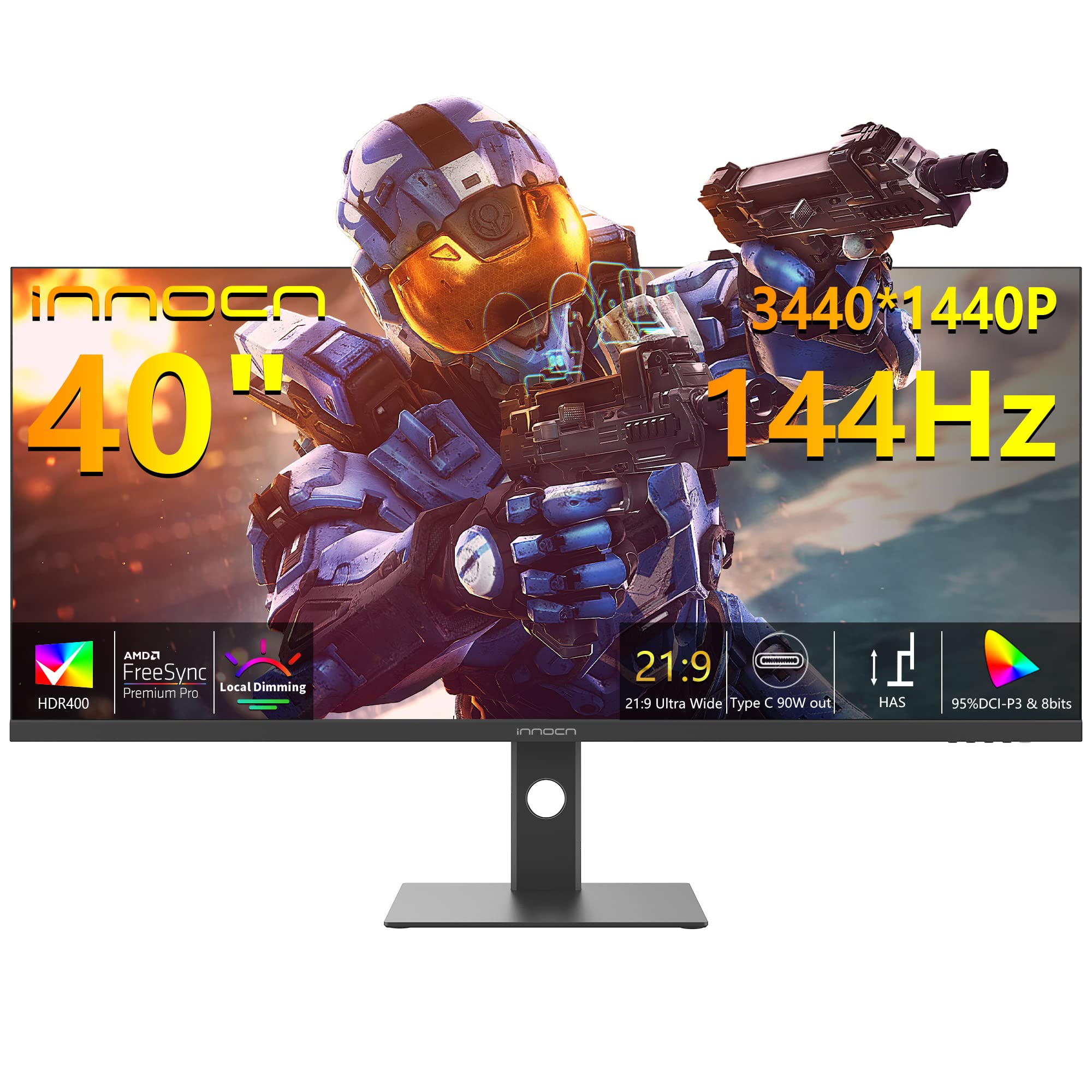
Today I want to share my experience with the INNOCN 40C1R Ultrawide Monitor 40 WQHD. As someone who loves gaming and needs a wide visual display, this monitor has been a great addition to my setup.

Pros and Cons
What We Liked
- The 21:9 ultrawide ratio of this monitor provides a more immersive gaming experience and gives me a wider view of the game details for quick response.
- The AMD FreeSync Premium and HDR 400 technology enhance the color performance and deliver smooth images and video viewing.
- The monitor offers versatile connectivity options with USB Type C, DP, and HDMI ports, making it convenient to connect various devices.
- The color calibration of the monitor ensures true and vibrant colors, and the TUV authentication protects against blue light, making long gaming sessions comfortable and enjoyable.
- The split-screen feature allows for enhanced productivity, making it easier to multitask and increase efficiency.
What Can Be Improved
- The pixel response time of the IPS-like panel could be improved, especially for fast-paced gaming where quicker transitions are desired.
- The local dimming feature of the backlighting can be distracting during dark scenes, and it may be preferable to leave it turned off.
Quick Verdict
Overall, the INNOCN 40C1R Ultrawide Monitor is a great choice for gamers and productivity enthusiasts. With its immersive ultrawide display, powerful performance features like HDR and FreeSync, and versatile connectivity options, this monitor offers an enhanced visual experience. While the pixel response time could be better and the local dimming feature may not be to everyone’s liking, the monitor still delivers vibrant colors, excellent screen uniformity, and a sturdy build. If you’re looking for a high-quality ultrawide monitor at a reasonable price, I recommend giving the INNOCN 40C1R a try.
You can find more information about the product here.
Unboxing – What’s Inside?
I recently purchased the INNOCN 40C1R Ultrawide Monitor from Amazon. Being in the USA, I placed the order on December 10, 2021, and it arrived at my doorstep in just three days. The delivery was impressively fast.
On unboxing the package, I found the following items inside:
- 1 x DP (DisplayPort) cable
- 1 x USB C cable
- 2 x HDMI cables
- 1 x 3.5mm Audio Jack cable
Specifications
Here are some key specifications of the INNOCN 40C1R Ultrawide Monitor:
- Refresh Rate: 144 Hz
- Special Feature: Adaptive Sync, Ultrawide Screen, Tilt Adjustment, Height Adjustment, USB Hub, High Dynamic Range, blue light filter
- Brand: INNOCN
- Display Resolution Maximum: 3440 x 1440 Pixels
- Screen Size: 40 Inches
- Total Usb Ports: 1
- Image brightness: 500 Candela
- Voltage: 220 Volts
- Aspect Ratio: 21:9
- Standing screen display size: 40 Inches
- Date First Available: December 6, 2021
- Manufacturer: Guangxi Century Innovation Display Electronics Co.,Ltd
- Item Weight: 35 pounds
- Package Dimensions: 47 x 21 x 8 inches
Documentation
The product came with an empty user guide, which was a bit disappointing. However, I managed to find the complete user guide online. This user guide proved to be quite helpful in setting up the monitor and understanding its various features. You can access the user guide here.
Features – What We Found
Ultra-Wide Gaming Experience
The INNOCN 40C1R Ultrawide Monitor offers a breathtaking gaming experience with its 40 screen and 21:9 aspect ratio. The premium ADS panel delivers a high resolution of 3440 x 1440p, allowing you to see game details more clearly for quick response. With a +18% viewable area compared to a 34 inch monitor, you’ll enjoy a wider visual experience. Whether you’re exploring open worlds or engaging in fast-paced action, this monitor provides the immersive gaming experience you crave.
Tip: Adjust the tilt, swivel, and height of the monitor to find the perfect viewing position that suits your comfort and gaming needs.
AMD FreeSync Premium & HDR 400 for Stunning Visuals
The INNOCN 40C1R Ultrawide Monitor features AMD FreeSync Premium and HDR 400 technology. AMD FreeSync Premium ensures smooth images and video playback by synchronizing the monitor’s refresh rate with your compatible graphics card. This eliminates screen tearing and stuttering, allowing for a seamless gaming experience. The HDR 400 technology enhances color performance and contrast, bringing out vibrant and lifelike visuals.
Experience stunning color accuracy with the monitor’s professional color gamut of 95% DCI-P3. This ensures that the monitor reproduces colors as intended, providing a visually pleasing experience for gaming, photo editing, and other multimedia tasks.
Convenient Connectivity and Versatile Ports
The INNOCN 40C1R Ultrawide Monitor offers versatile connectivity options to cater to your different needs. It features a USB Type-C port, a DisplayPort, two HDMI ports, and a 3.5mm audio jack. With the USB Type-C port, you can directly connect your compatible devices such as laptops, Macs, phones, tablets, and even gaming consoles like the Nintendo Switch or PS5/4/3. This makes it more convenient to switch between devices without the hassle of multiple cables.
Color Calibration and Eye Protection
Each INNOCN monitor comes with a color calibration report ensuring that colors are accurately reproduced with a ΔE <2. This means that the monitor deeply restores the true nature of colors, providing a visually satisfying experience.
The monitor is also TUV Rheinland certified, guaranteeing that it meets strict eye protection standards. The low blue light technology reduces harmful blue light emissions, making it comfortable for long hours of use. Experience the joy of gaming or binge-watching without straining your eyes.
Tip: Activate the blue light reduction mode during nighttime or extended use for added eye comfort.
PBP/PIP for Enhanced Productivity
The INNOCN 40C1R Ultrawide Monitor features Picture-by-Picture (PBP) and Picture-in-Picture (PIP) technology, boosting your productivity for multitasking. PBP allows you to view content from different sources side by side, making it ideal for data analysis or photo/video editing. PIP lets you keep an eye on a secondary source while focusing on your main task, further enhancing your workflow.
Unleash your creativity and productivity with the INNOCN monitor, providing you with the tools to accomplish more in less time.
Our Review, Score and More
Our Score: 85.0
I recently purchased the INNOCN 40C1R Ultrawide Monitor and I have been extremely pleased with its performance. The 21:9 ratio and 40 size deliver a wide visual experience that enhances gaming and overall viewing. The high resolution of 3440 x 1440p combined with the 144Hz refresh rate provides a clear and smooth image, perfect for quick response games. I also appreciate the tilt, swivel, and height adjustable features that allow me to customize my viewing experience.
This monitor also boasts impressive features such as AMD FreeSync Premium and HDR400 technology. The high dynamic range and professional color gamut provide excellent contrast and color performance. The USB Type C, DP, and HDMI ports offer versatile connectivity options, allowing me to connect various devices directly to the monitor. The color calibration and TUV authentication ensure accurate color reproduction and reduce blue light for a comfortable viewing experience.
I was particularly impressed with the split screen feature, which enhanced my productivity during multitasking activities such as data analysis and photo editing. This monitor proved to be a great investment for general computing as well, offering clear text and an expansive ultrawide format. Overall, I highly recommend the INNOCN 40C1R Ultrawide Monitor for its exceptional performance and features. You can purchase it here.
Best combination
If you’re in the market for a new monitor to enhance your computing experience, I highly recommend considering the INNOCN 40C1R Ultrawide Monitor 40 WQHD. This monitor offers a range of features that make it an excellent addition to any setup.
First and foremost, the INNOCN 40C1R Ultrawide Monitor boasts a stunning 40″ display with a resolution of 3440 x 1440p. This WQHD resolution ensures crisp and clear visuals, allowing you to immerse yourself in your work or entertainment. With a 21:9 aspect ratio, this monitor provides a wider field of view, perfect for multitasking or gaming.
In addition to its impressive resolution, the INNOCN 40C1R Ultrawide Monitor offers a high refresh rate of 144Hz. This means that fast-paced action in games and movies will be smooth and fluid, without any blurring or ghosting. Combined with AMD FreeSync Premium and HDR400 support, this monitor delivers vibrant colors and impressive contrast, enhancing your viewing experience even further.
Connectivity is also a breeze with the INNOCN 40C1R Ultrawide Monitor. It features multiple ports, including USB Type-C and HDMI, allowing you to easily connect various devices such as laptops, desktops, and gaming consoles. The monitor is also height adjustable and tilt-adjustable, providing a customizable viewing experience to suit your needs.
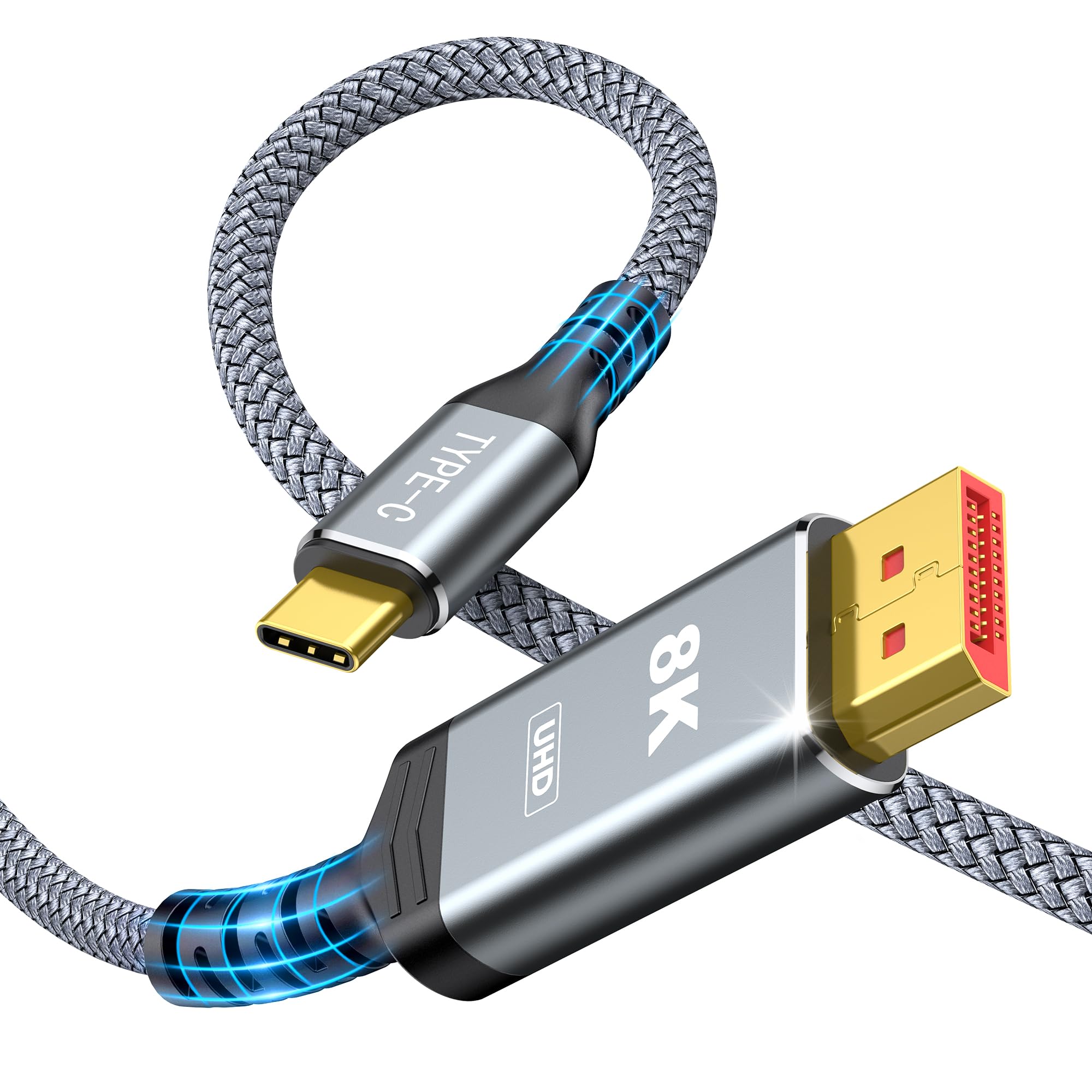
When choosing the ideal setup, the Capshi USB C to DisplayPort 1.4 Cable complements the INNOCN 40C1R Ultrawide Monitor perfectly. This cable enables you to connect your devices, such as MacBook Pro/Air, iPad, iMac, or Mac Mini, to the monitor effortlessly. With support for 8K 60Hz, 4K 144Hz/120Hz, and 2K 240Hz resolutions, this cable ensures ultra-high quality visuals with a maximum data transfer rate of 32.4Gbps.
If you’re looking to maximize your productivity or take your gaming experience to the next level, investing in the INNOCN 40C1R Ultrawide Monitor and the Capshi USB C to DisplayPort 1.4 Cable is the way to go. With their combined features, you’ll enjoy stunning visuals, smooth performance, and hassle-free connectivity.
Other Options To Go For
If you’re considering the INNOCN 40C1R Ultrawide Monitor 40 WQHD 3440 x 1440p 144Hz AMD FreeSync Premium HDR400 21:9 Computer Monitor 95% DCI-P3 500Nits IPS USB Type-C HDMI Tilt/Height Adjustable Monitor, Mountable 40-WQHD, here are some similar products you might want to check out:
- INNOCN 40C1R Ultrawide Monitor 40 WQHD 3440 x 1440p 144Hz AMD FreeSync Premium HDR400 21:9 Computer Monitor 95% DCI-P3 500Nits IPS USB Type-C HDMI Tilt/Height Adjustable Monitor, Mountable: This monitor is packed with features and offers a stunning WQHD resolution with a fast 144Hz refresh rate. Its AMD FreeSync Premium technology ensures smooth gameplay, and the HDR400 support enhances the visual experience. With a versatile design and adjustable features, it provides ergonomic comfort during long hours of use. You can find more details here.
- Amazon Basics 24 Inch Monitor Powered with AOC Technology: If you’re looking for a more compact option, this 24-inch monitor is a great alternative. It offers a Full HD resolution and a 75Hz refresh rate for smooth visuals. With built-in speakers and VESA compatibility, it provides convenience and flexibility. Check it out here.
- INNOCN 44C1G Ultrawide Monitor 43.8 WFHD 3840 x 1080p 120Hz Monitor 32:9 IPS Computer Split Screen Monitor 96% DCI-P3 HDR400 FreeSync Premium USB Type-C HDMI Height Adjustable Mountable Monitor: This ultrawide monitor offers a unique WFHD resolution and a wide 32:9 aspect ratio, perfect for multitasking and immersive gaming. It supports a 120Hz refresh rate for smooth visuals and features HDR400 and FreeSync Premium for enhanced image quality and gameplay. It is height adjustable and mountable for added convenience. You can find more details here.
- MSI MAG401QR, 40 Gaming Monitor, 3440 x 1440(UWQHD), IPS, 155Hz, FreeSync Premium, HDR400, HDMI, Displayport, USB C, Tilt, Black: This gaming monitor offers an ultrawide UWQHD resolution and a fast 155Hz refresh rate for a smooth and immersive gaming experience. With FreeSync Premium and HDR400 support, it delivers stunning visuals and eliminates screen tearing. It features multiple connectivity options and adjustable tilt for comfortable viewing. Check it out here.
- Deco Gear 39 Curved Ultrawide Gaming Monitor, 2560×1440, 1ms MPRT, 165 Hz, 16:9, HDR400, 4000:1: This curved ultrawide gaming monitor offers a high-resolution display with a fast 165Hz refresh rate and a 1ms MPRT response time for smooth and responsive gameplay. With HDR400 support and a high contrast ratio, it provides vibrant and realistic visuals. It is designed for gaming with features like AMD FreeSync and multiple connectivity options. Find more details here.
These alternate options provide a range of features and specifications to cater to different needs. Whether you’re looking for a specific resolution, refresh rate, or design, these monitors offer great alternatives to consider.