
So I recently had the opportunity to try out the SteelSeries Rival 3 Gaming Mouse, and I must say, I was quite impressed. This mouse is designed with high-grade polymer materials, making it incredibly durable. The matte texture provides a nice grip, even during long gaming sessions when your palms tend to get sweaty. The ergonomic construction of the mouse is also worth mentioning, as it provides a comfortable experience for intense gaming.
The TrueMove Core optical gaming sensor is a standout feature of this mouse. It offers true 1 to 1 tracking, with a CPI of 8,500, IPS of 300, and acceleration of 35G. The tracking accuracy is on point, giving you precise control over your movements in-game. Another cool feature is the customizable lighting effects, allowing you to create complex lightshows or stay updated with Discord notifications.
Pros and Cons
What We Liked
- Hyper durable materials that provide a solid and long-lasting build.
- The TrueMove Core optical gaming sensor offers accurate tracking for smooth gameplay.
- The comfortable ergonomic construction ensures comfort during long gaming sessions.
- Customizable lighting effects allow for personalization and integration with other applications.
- The on-board memory feature saves polling rate, keybinds, and CPI settings directly on the mouse.
What Can Be Improved
- The STEELSERIES application needs to run constantly for color/light settings to apply, which can be inconvenient.
- The DPI settings can be stored on the mouse, but the lighting settings cannot, which seems odd and can be frustrating for some users.
Quick Verdict
All in all, the SteelSeries Rival 3 Gaming Mouse is a solid option for gamers. It offers durability, accuracy, and comfort in a sleek design. The customizable lighting effects add a touch of personalization, and the on-board memory feature is convenient. Though there are some minor drawbacks, the value and performance of this mouse make it a great choice, especially considering its affordable price point. If you’re in the market for a reliable gaming mouse, I definitely recommend giving the SteelSeries Rival 3 a try. You can find more information and purchase it here.
Unboxing – What’s Inside?
I recently purchased the SteelSeries Rival 3 gaming mouse on Amazon as I needed an upgrade for my gaming setup. Being an avid gamer, I was excited to try out this mouse and see how it would enhance my gaming experience. The delivery was fast, and I received the package within a couple of days.
Upon unboxing, I found the following items inside the box:
- The SteelSeries Rival 3 gaming mouse
- A user guide
Specifications
The SteelSeries Rival 3 gaming mouse boasts some impressive specifications:
- Number of Buttons: 6
- Movement Detection Technology: Optical
- Special Feature: Lightweight
- Color: Black
- Brand: SteelSeries
User Guide
The user guide provided with the SteelSeries Rival 3 was quite helpful. It provided detailed instructions on how to set up and customize the mouse according to my preferences. The guide also explained the various functions of the programmable buttons and how to utilize the mouse’s optical sensor effectively. If you need any assistance or want to make the most out of the mouse’s features, I highly recommend referring to the user guide. You can find the user guide here.
Features – What We Found
Durable Construction
The SteelSeries Rival 3 gaming mouse is built with hyper durable materials, specifically engineered with high-grade polymer for maximum durability. This ensures that the mouse can withstand the rigors of intense gaming sessions and offers long-lasting performance. The durable construction also means that the mouse is less prone to wear and tear, making it a reliable choice for gamers.
A pro-tip for maximizing the durability of the mouse is to avoid excessive force or rough handling, as even the most durable materials can be damaged if mishandled. By using the mouse with care, you can ensure its longevity and enjoy uninterrupted gaming experiences.
TrueMove Core Optical Sensor
The Rival 3 is equipped with a TrueMove Core optical gaming sensor, offering true 1 to 1 tracking. With a maximum CPI (counts per inch) of 8,500, an IPS (inches per second) of 300, and acceleration of 35G, the sensor provides precise and accurate tracking performance. This high-quality sensor ensures that every movement is translated flawlessly on-screen, allowing for enhanced gaming precision and responsiveness.
For a closer look at the TrueMove Core optical sensor and its capabilities, check out the product link for detailed specifications and technical information.
Ergonomic Design
The Rival 3 is ergonomically designed to provide comfort during long gaming sessions. The shape and construction of the mouse are optimized to fit naturally in the hand, reducing strain and fatigue. This ergonomic design not only enhances comfort but also improves overall gaming performance by allowing for effortless and precise movements.
The comfortable ergonomic construction is especially important for intense gaming sessions, as it helps players maintain focus and concentration without distractions or discomfort. With the Rival 3, you can enjoy extended gaming sessions without experiencing hand fatigue or discomfort.
Customizable Lighting Effects
The Rival 3 features customizable lighting effects, allowing users to create complex lightshows or stay updated with Discord notifications. With three zones of 16.8 million colors, you can personalize the mouse’s lighting to match your gaming setup or simply to reflect your personal style.
Using the SteelSeries Engine software, you can easily customize the lighting effects to your preference, whether it’s a static color, dynamic patterns, or synchronized lighting with other SteelSeries devices. This level of customization adds an aesthetic flair to your gaming experience and allows you to create a personalized gaming environment.
On-Board Memory
The Rival 3 mouse comes with on-board memory, which allows you to save polling rate, keybinds, and up to five CPI (counts per inch) directly on the mouse. This means that you can easily switch between different settings or use your customized profiles on different computers without the need to reconfigure them every time. The on-board memory feature ensures that your preferred settings are always accessible, providing convenience and seamless transitions between gaming setups.
A pro-tip when utilizing the on-board memory is to keep a backup of your preferred settings on your computer. While the mouse’s on-board memory ensures that your profiles are always available, having a backup copy ensures that you can easily restore your settings in case of any unexpected data loss or if you want to use the same configurations on multiple mice.
Our Review
Our Score: 89.0
I recently purchased the SteelSeries Rival 3 gaming mouse and I must say, it has exceeded my expectations. The sleek and functional design, combined with the hyper durable materials, make it a great investment for gamers. The matte texture of the mouse provides a comfortable grip, even during intense gaming sessions.
The TrueMove core optical gaming sensor ensures precise and accurate tracking with its 1 to 1 tracking, 8,500 CPI, 300 IPS, and 35G acceleration. It is highly customizable with six programmable buttons and split trigger buttons. The prism lighting feature adds a visually stunning element to the mouse, with three zones of 16.8 million colors.
One of the standout features for me is the on-board memory, which allows you to save polling rate, keybinds, and up to five CPIs directly on the mouse. However, the only drawback I found is that the SteelSeries application needs to be constantly running in the background for the lighting settings to apply. Despite this, the DPI settings can be uploaded to the mouse itself.
Click here to check out the SteelSeries Rival 3 on Amazon!
Best combination
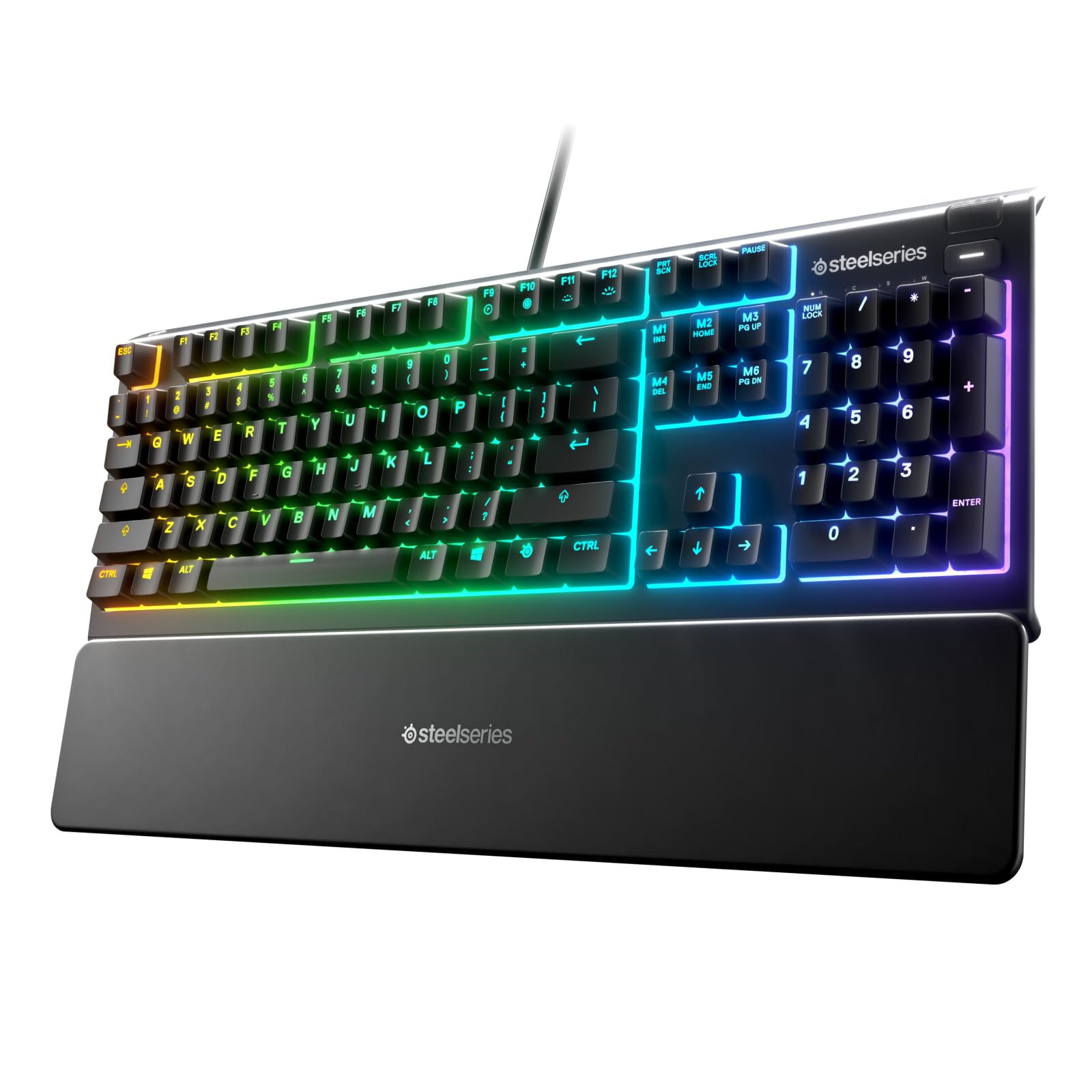
If you’re considering purchasing the SteelSeries Rival 3 – Gaming Mouse, I highly recommend getting the SteelSeries Apex 3 RGB Gaming Keyboard along with it. These two products make an excellent combination for avid gamers.
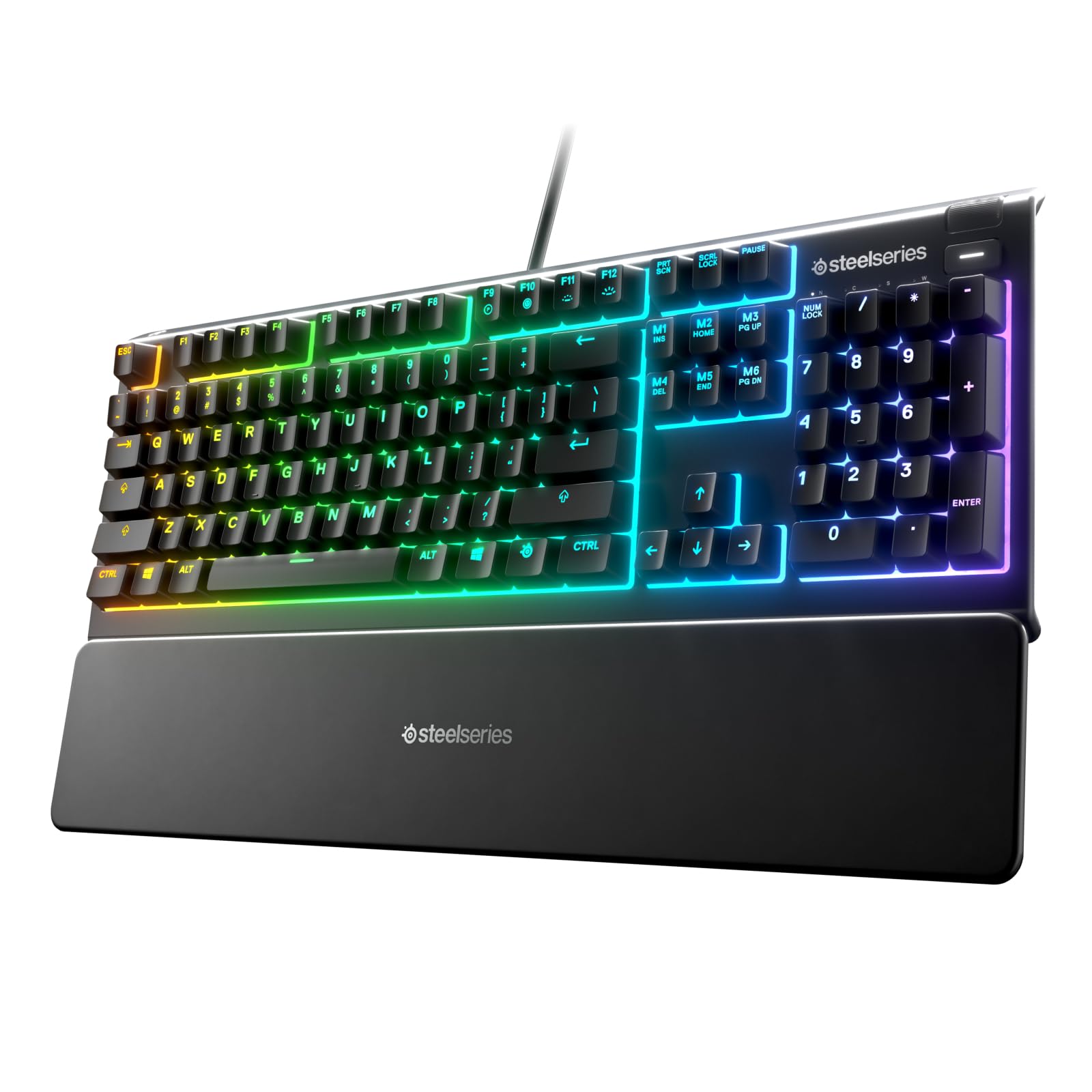
The SteelSeries Apex 3 RGB Gaming Keyboard is a top-notch product that offers a range of features designed to enhance your gaming experience. With its 10-zone RGB illumination, you can customize the lighting to match your gaming setup. Not only does it look great, but it also features IP32 water resistance, so you won’t have to worry about accidental spills damaging your keyboard. Additionally, it comes with a premium magnetic wrist rest that provides exceptional support and comfort during long gaming sessions. The whisper quiet gaming switch ensures minimal noise, allowing you to focus on your game without distractions.
When paired with the SteelSeries Rival 3 – Gaming Mouse, you’ll have a powerful combination that will take your gaming to the next level. The mouse features an 8,500 CPI TrueMove Core Optical Sensor, delivering precise tracking and accuracy. With 6 programmable buttons, you can customize your mouse to suit your gaming style. The split trigger buttons provide a satisfying click feel, allowing for fast and precise reactions. Together, these two products offer a seamless gaming experience with advanced features and durability.
Investing in both the SteelSeries Rival 3 – Gaming Mouse and the SteelSeries Apex 3 RGB Gaming Keyboard will greatly enhance your gaming setup. The compatibility and synergy between these two products make them the perfect combination for serious gamers. Don’t miss out on the opportunity to elevate your gaming experience!